Setting up BPAY
This article applies to the following scenario
- You would like to use BPAY as a way to collect money from clients
Concepts
A unique BPAY reference is generated for two types of items in the system:
- Tax Invoice
- Statement of Account
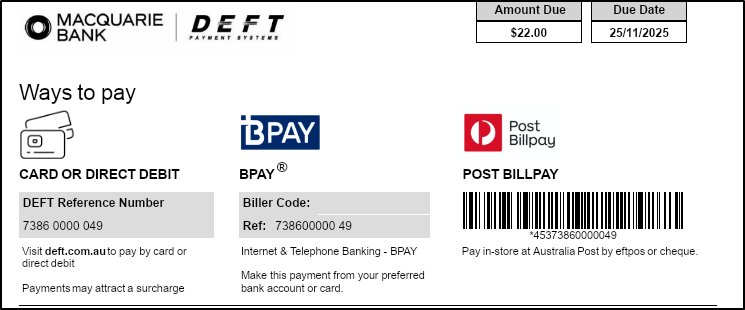
When you print out an invoice, or statement, the system can be configured to show a payment signature that shows a BPAY reference number and the logos in the accepted format.
The same BPAY reference number will also appear on your bank statement when a client makes a payment through the DEFT Payment System, ensuring seamless reconciliation and payment tracking.
Setting up BPAY with the bank
You will have to make contact with your bank to see if they have BPAY facilities.
They will likely provide you with an application form, and request certain details.
Please use the following information as a guide to help you complete that application form:
| Requirement | Information |
|---|---|
| Check Digit Algorithm | We support the MOD10V01 algorithm ONLY |
| Reference Number Length | 7 (inclusive of the check digit) |
| Sample Invoice | If required, attached to this article |
| Sample Reference Numbers | If required, attached to this article |
Enter BPAY Reference
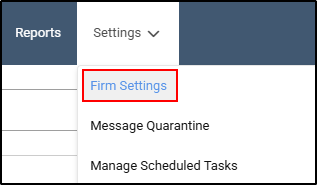
- Go to Settings on the main navigation menu, select Firm Settings
- On the right hand side of your screen, choose Reports from the options .

- Enter your BPAY Biller Code.

- Select Save Changes.

Process for Issuing Documents with BPAY.
The process for issuing invoices & statements remains unchanged with the implementation of the BPAY integration.
The key difference is that, when these documents are issued, the footer section will display the BPAY payment information—instead of the firm’s standard payment details.
Below is an example of how the Remittance Slip will appear: