Login Changes
Due to upcoming infrastructure changes and to maintain security, from 9th June 2025, all users logging into the software will need to set up a new login that is separate from the desktop application.
From 9th June 2025, when accessing the software, you will be presented with a new login screen. Follow the steps below to create your login.
Steps to Set Up Your New Login
- Start Account Creation
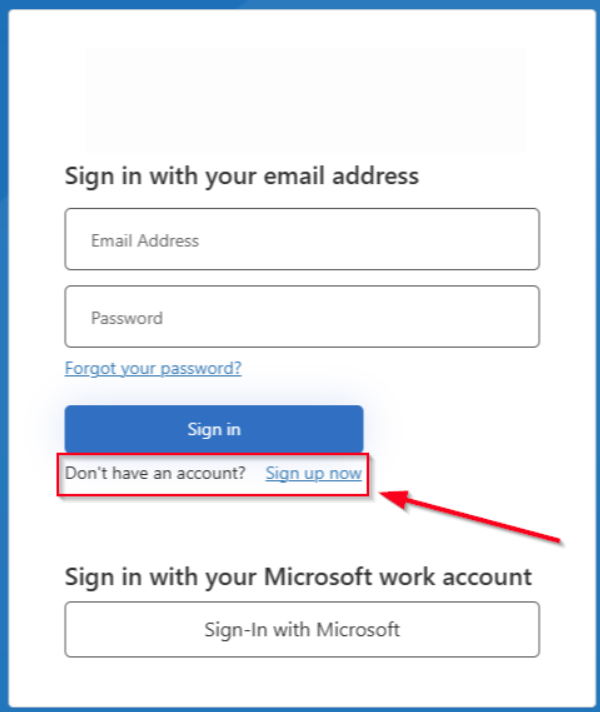
Click on the link that says Don't have an account? Sign up now.
- Enter Your Email
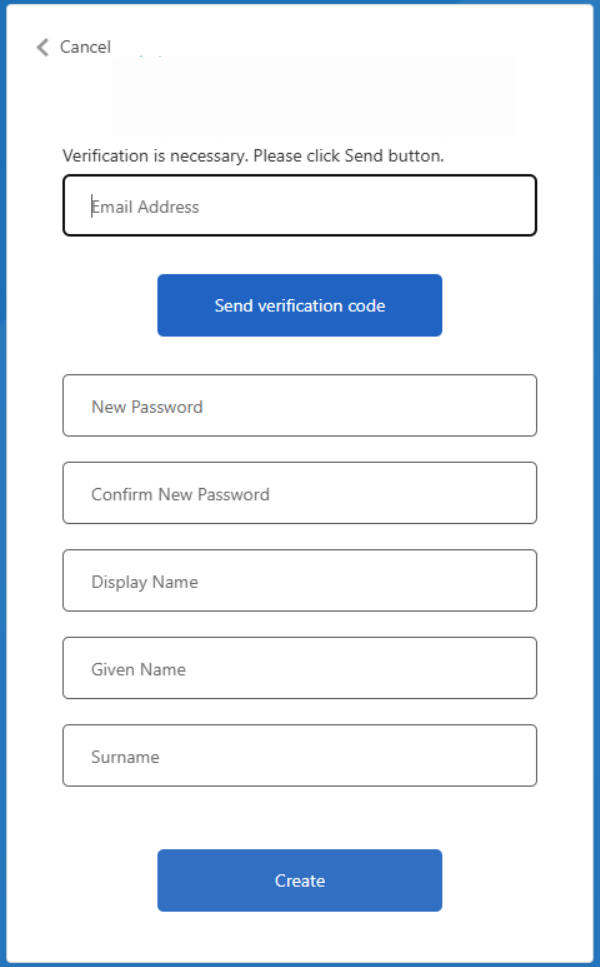
Type in the email address of your existing desktop login and click Send verification code.
- Check Your Email for a Verification Code
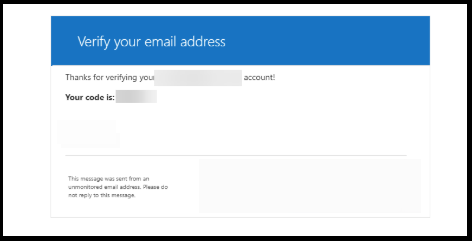
A verification code will be sent to your email. Enter the code in the space provided and click Verify code.
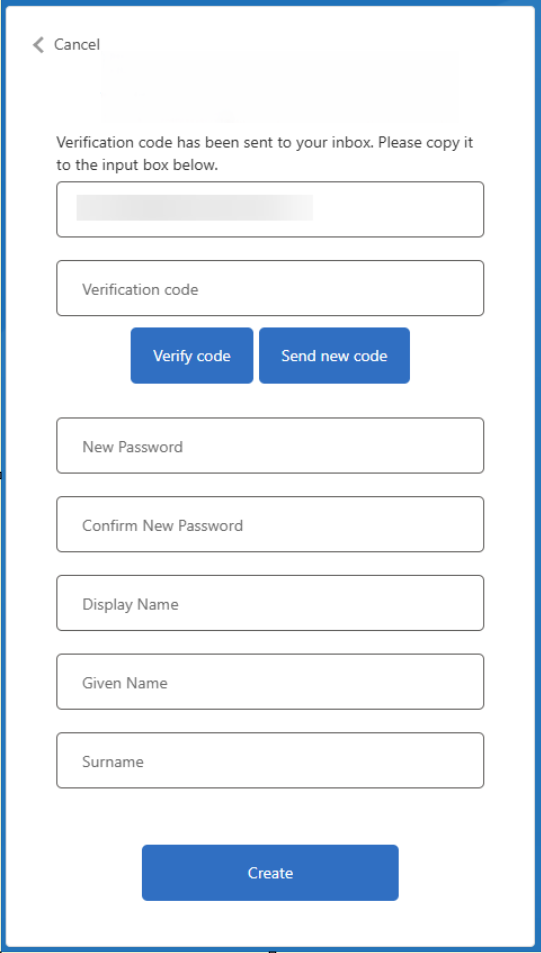
- Fill in the rest of your details and click Create
- Access the System
After these steps, you'll be taken to the main page, where you can start using the cloud system.
Troubleshooting
Issue: After creating a new login, the user sees the following page:
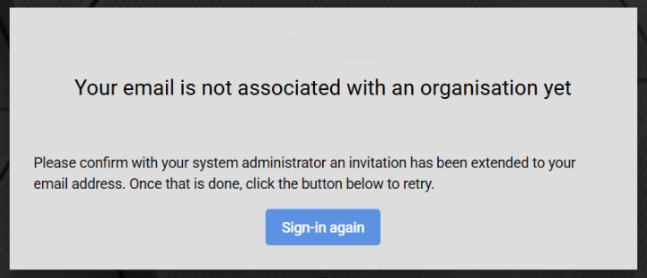
Solution: Follow the steps in the following article: FAQ: When I log in, it says I'm not associated with an Organisation?
If no one is able to log in to complete these steps, please contact our support team for assistance.