Transfer Cost Recoveries
Overview
Cost Recoveries can be moved from one matter to another. Only Unbilled cost recoveries can be moved to another matter.
Transferring Cost Recoveries to another Matter
To transfer a cost recovery to another matter follow these steps.
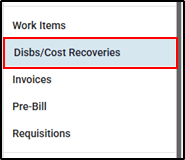
1. Navigate to the Matter, select the Disbs/Cost Recoveries from the right hand side menu.
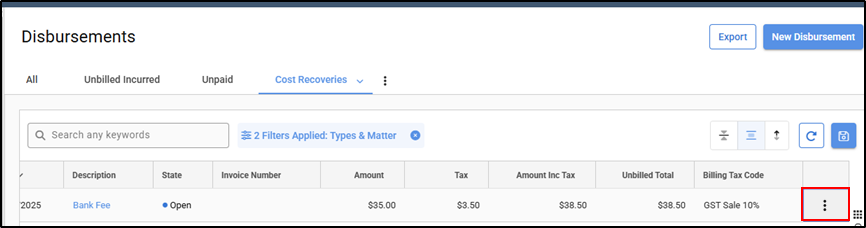
2. Click on the ellipsis at the end of the Cost Recovery you would like to move (you may have to scroll right depending on how many columns you have visible).
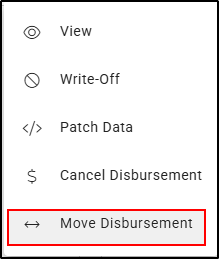
3. Select Move Disbursement from the ellipsis menu.
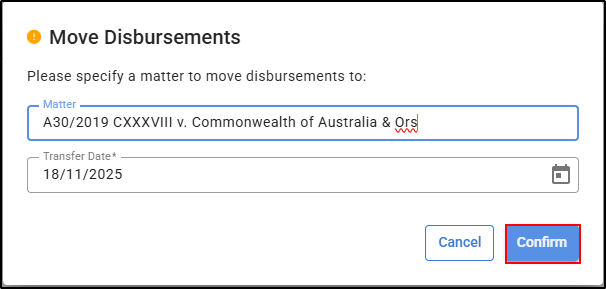
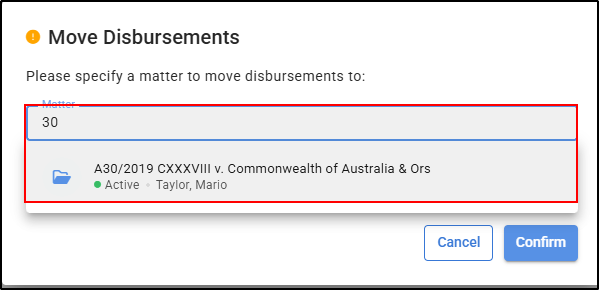
4. Start typing the matter name or number in the matter box to select the matter you would like to transfer this to.
5. The date will automatically populate with today's day but can be amended if required by using the calendar symbol or overtyping the date.
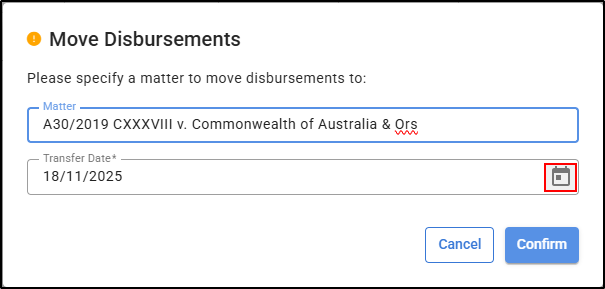
6. Once completed, select Confirm to complete the process.